When writing content for regulated environments, tracked changes are an important part of the audit process, especially for teams that need to carefully evaluate and publish updates before they are finalized. In many organizations, documentation goes through multiple rounds of review and approval before changes are approved and accepted into the source content.
Why This Matters
For many teams, generating both review and final versions of documentation has traditionally required additional manual effort.
Consider a team preparing documentation for a regulatory review. They may need:
- A redline markup PDF showing all changes
- A clean PDF showing the final document as if changes are accepted
- The ability to continue tracking and reviewing changes within the project
In previous versions of Flare, authors could build PDF and Word output that preserved tracked changes and displayed redline markup. However, generating a clean output where tracked changes appeared accepted required those changes to actually be accepted in the source files. For organizations that need both reviewed and finalized versions of documentation, this often introduced extra steps and additional project management overhead.
With the new Accept All Output option in print-based targets, Flare can generate a clean output while preserving tracked changes in the source files. This allows authors to quickly produce both reviewed and finalized versions of a document without modifying their project content.
Valuable for Regulated Industries
This enhancement can be particularly useful for organizations that operate in regulated environments where documentation reviews are tightly controlled.
Industries such as these often require both redline documentation and clean documentation as part of their review and approval processes.
- Medical device manufacturing
- Healthcare
- Pharmaceutical organizations
- Government agencies
- Aerospace and defense
- Financial services
The ability to generate multiple versions of the same document from a single source project helps simplify compliance workflows while maintaining complete visibility into proposed changes.
In this blog, we'll take a look at the new tracked changes output options introduced in MadCap Flare 2026 and how they help streamline document approval and review workflows.
New Tracked Changes Options
In the Target Editor for PDF and Word targets, the Preserve Tracked Changes setting has been expanded into a drop-down menu that provides additional control over how tracked changes are handled in the output.
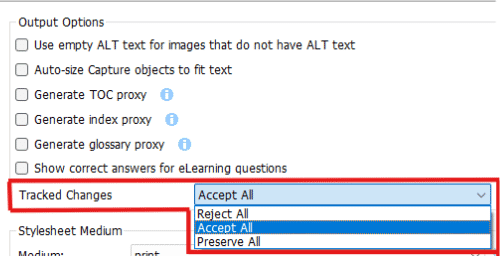
To better understand the differences, let's look at how each option affects the generated output when using the same source files. Below is a topic in Flare containing several tracked changes.
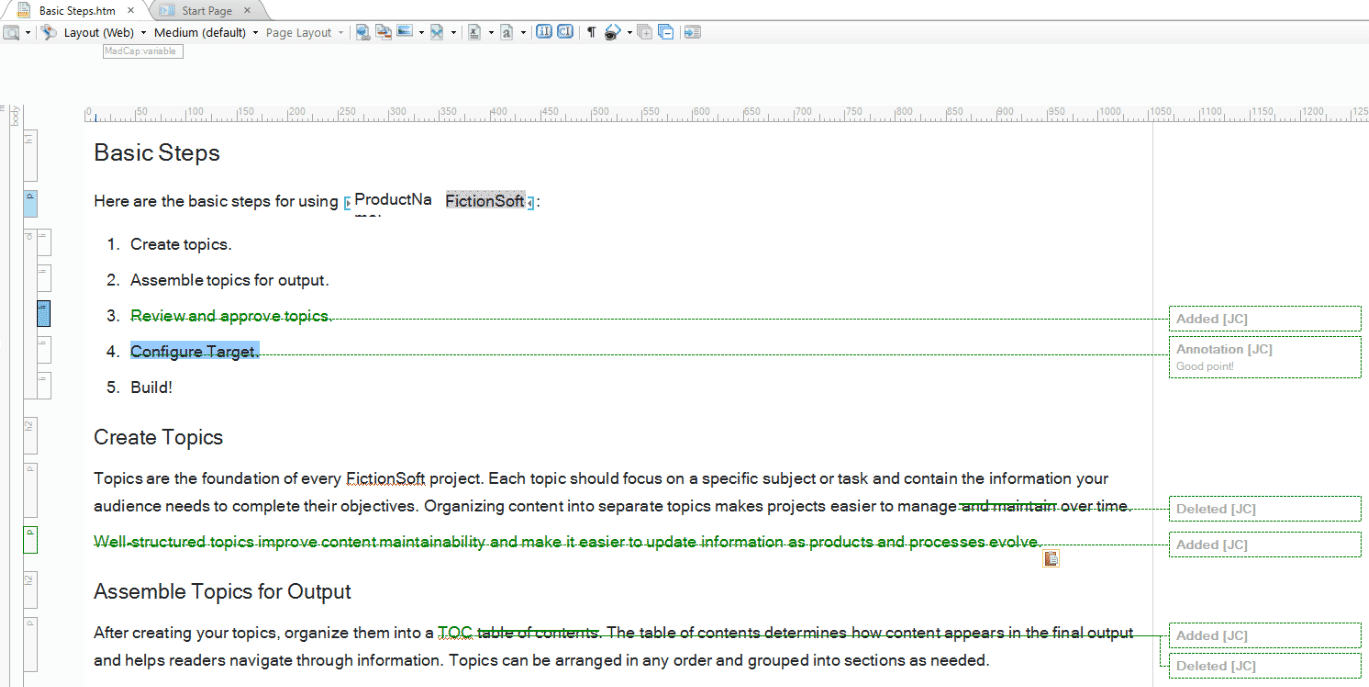
The following examples show the resulting PDF output when each tracked changes option is selected.
Reject All
This option displays the output as if all tracked changes in topics were rejected or ignored. Any tracked changes remain in the source files but are not included in the generated output.
This behavior is consistent with how print targets have traditionally worked in Flare and remains the default option.
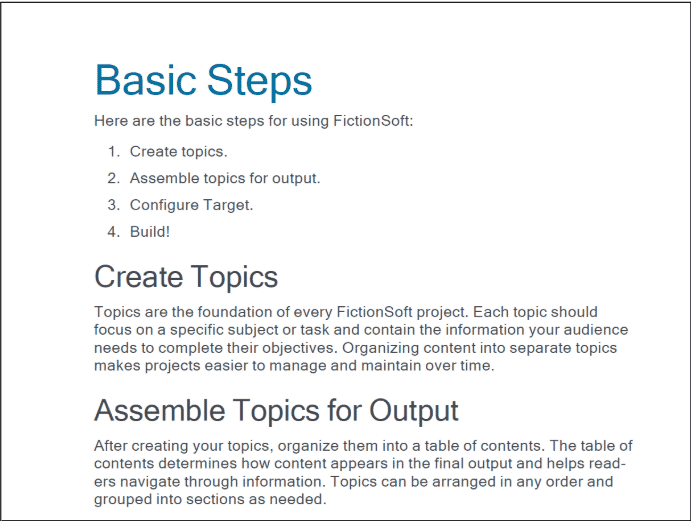
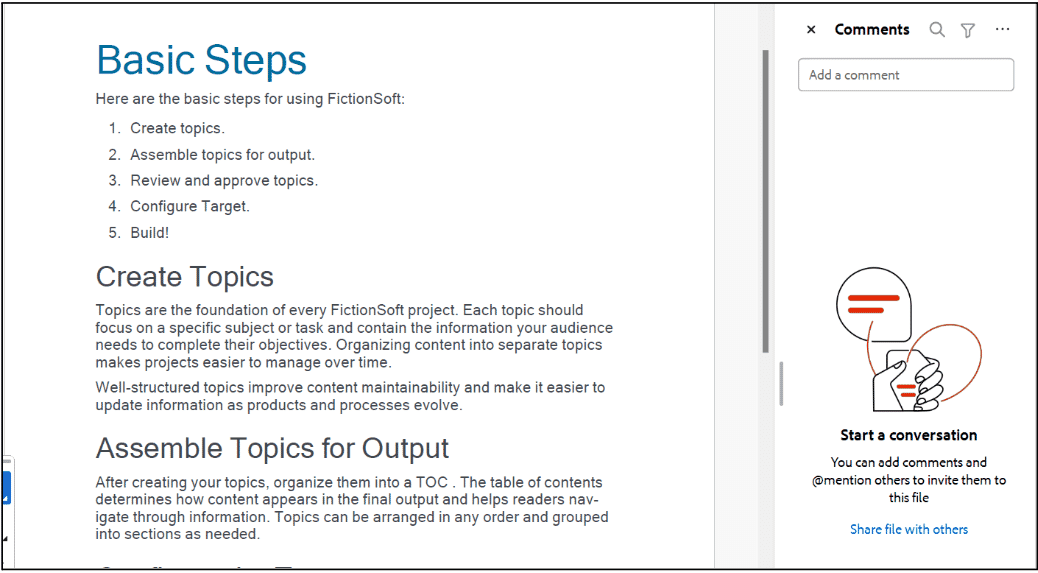
Accept All
This new option displays the output as if all tracked changes were accepted.
Importantly, the changes are only accepted in the generated output. The tracked changes remain intact in the source files, allowing authors to continue reviewing and managing them within Flare.
This provides a simple way to generate a clean PDF or Word document without permanently accepting changes in your project.
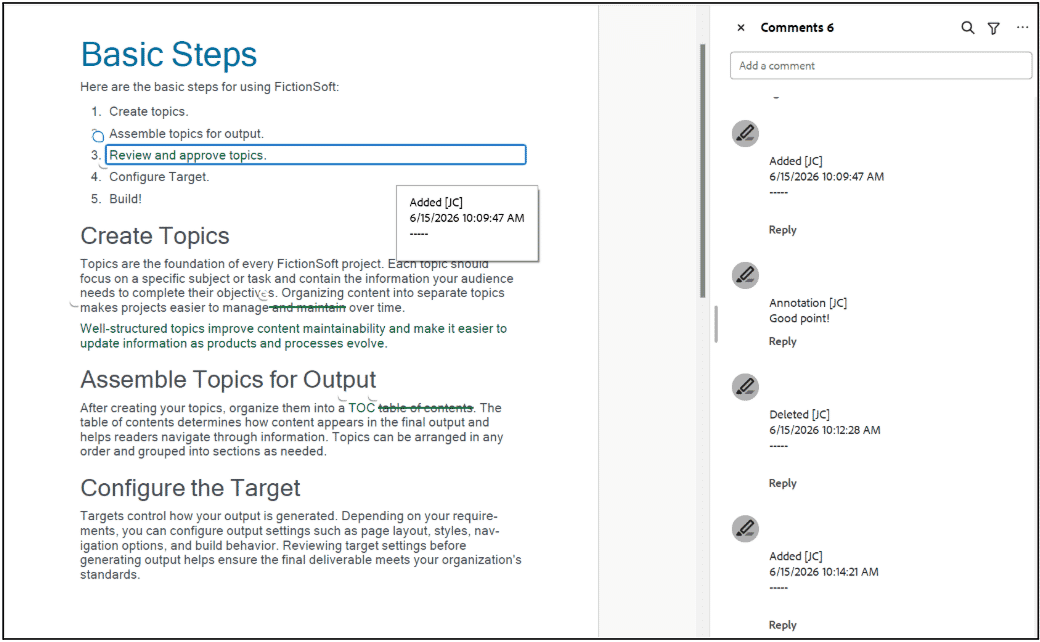
Preserve All
This option displays tracked changes exactly as they exist in the source files.
Additions, deletions, and other revisions are shown with markup, making it easy for reviewers to see what has changed between versions.
Organizations that require formal review and approval processes often rely on this type of output to document revisions.
Conclusion
The new tracked changes output options provide greater flexibility when generating PDF and Word output from MadCap Flare. You can quickly generate multiple versions of the same document without modifying the tracked changes in your source files. While the new drop-down makes it easier to control how tracked changes are handled, the standout enhancement is the new Accept All option.
By allowing authors to generate clean output while preserving tracked changes in their source files, Flare eliminates common workarounds and streamlines review workflows. For teams that need both redline and finalized documentation, this enhancement makes it easier than ever to generate the right output for every stage of the review process.
Learn more about MadCap Flare.