Click to see a demo.
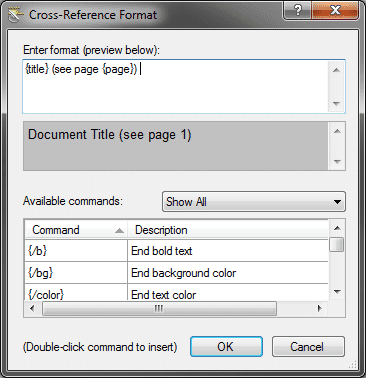
Did you know that you can create one link for both Online and Print outputs? By using style mediums, you can set up a cross-reference style to automatically display as a hyperlink in online documentation and a cross-reference in print documents.
In our demo, the project contains two targets, one WebHelp and one PDF. By default the WebHelp target pulls from the ‘default’ medium and the PDF target pulls from the ‘print’ medium. The settings for which medium targets use is in the advanced tab of the target file editor. The topics that are used in the demo are also already added to the TOC so that the PDF target knows what content to include when compiling the output.
Below is the code for the style sheet if you would rather just paste it into the style sheet using notepad:
MadCap|xref
{
          mc-format: '{title}';
}

@media print
{
         MadCap|xref
         {
                  mc-format: '{title} (see page {page})  ';
         }
}