Create User Manuals Once, Publish Everywhere
MadCap Flare’s single-source publishing lets you write one user manual and deliver it as a polished PDF, responsive HTML5 site, or embedded in-product guide, without maintaining separate content branches.

Organizations Trust MadCap Flare for User Manuals
80%
Reduction in Project Time
The Challenge: Illumina’s genomics documentation spanned multiple product variants, formats, and languages at massive scale.
The Solution: Adopted MadCap Flare’s variables, conditional text, and single-source publishing to generate variant-specific outputs from one master project.
The Result: Cut project time by up to 80% for print, web, and mobile content from a single source.

Single Source
Powers In-Dash, Print, and Mobile Manuals
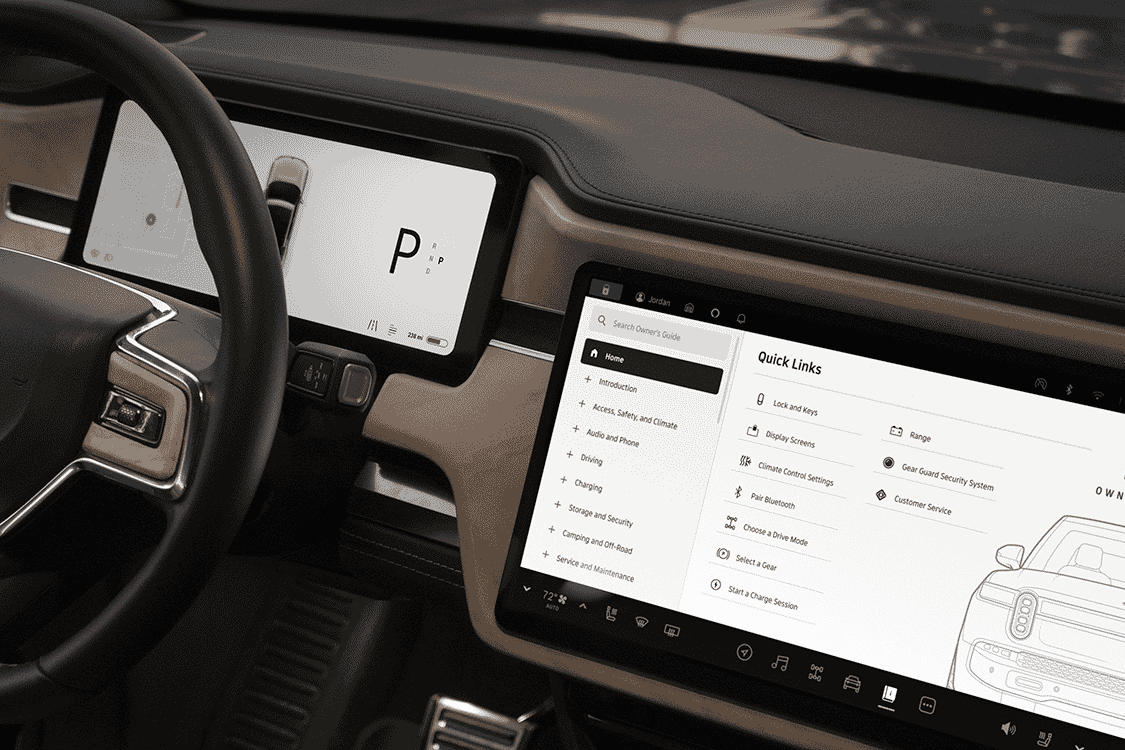
The Challenge: Rivian needed an interactive owner’s guide built into R1T and R1S vehicles, with offline search and day/night modes.
The Solution: Built 40 documents in Flare and Flare Online, embedded in the vehicle infotainment system.
The Result: Delivered the in-dash guide with the same content also available as print and mobile manuals from one source.

4 Hours
17-Language Manual Updates
The Challenge: Vogel’s needed to maintain 33 mobile-first user manuals across 17 languages, with 80%+ of readers arriving on mobile via QR codes printed on packaging.
The Solution: Used MadCap Flare and Lingo together to single-source the manuals and automate the multilingual publishing workflow.
The Result: Compressed 17-language manual updates from roughly one month to about four hours.

User manuals are the print and digital guides, quick-start guides, installation guides, and owner’s manuals, that directly shape product adoption, support cost, and customer satisfaction. They are the original single-source opportunity, because teams need them as designed print PDFs, responsive mobile-ready web manuals, and increasingly as interactive in-product references. Flare’s single-source authoring features allow you to write the content once and generate output from the same content, eliminating print-and-web content duplication that traps teams stuck in Word or InDesign®.
Everything You Need to Create Professional User Manuals

Multi-channel Publishing
Write your user manual once and publish it as a responsive HTML5 site, print-ready PDF, or embedded help, all from one project.

Print-Ready PDF Output
Generate polished, branded PDFs with professional typography, automatic tables of contents, and cross-references.

Content Reuse with Snippets
Create reusable content blocks for safety warnings, legal disclaimers, and shared procedures that update everywhere at once.

Variables for Product Variants
Use variables to swap product names, model numbers, and specifications across manual variants without duplicating content.

Responsive HTML5 Output
Deliver user manuals as modern, mobile-friendly HTML5 sites with built-in search and intuitive navigation.
Topic-Based Authoring
Organize content into modular topics that can be assembled into quick-start guides, installation manuals, or full user guides.

Import Existing Word Content
Bring your FrameMaker® or Word-based manuals into Flare and convert them into structured, reusable topics.

CSS-Based Styling
Control the look and feel of every output with CSS, ensuring your manuals match your brand across print and digital formats.


MadCap Flare Resources for User Manuals

Videos & Tutorials
Watch tutorials covering print-ready PDF output, responsive HTML5 publishing, variables for product variants, and the techniques behind professional user manuals in Flare.
Watch Videos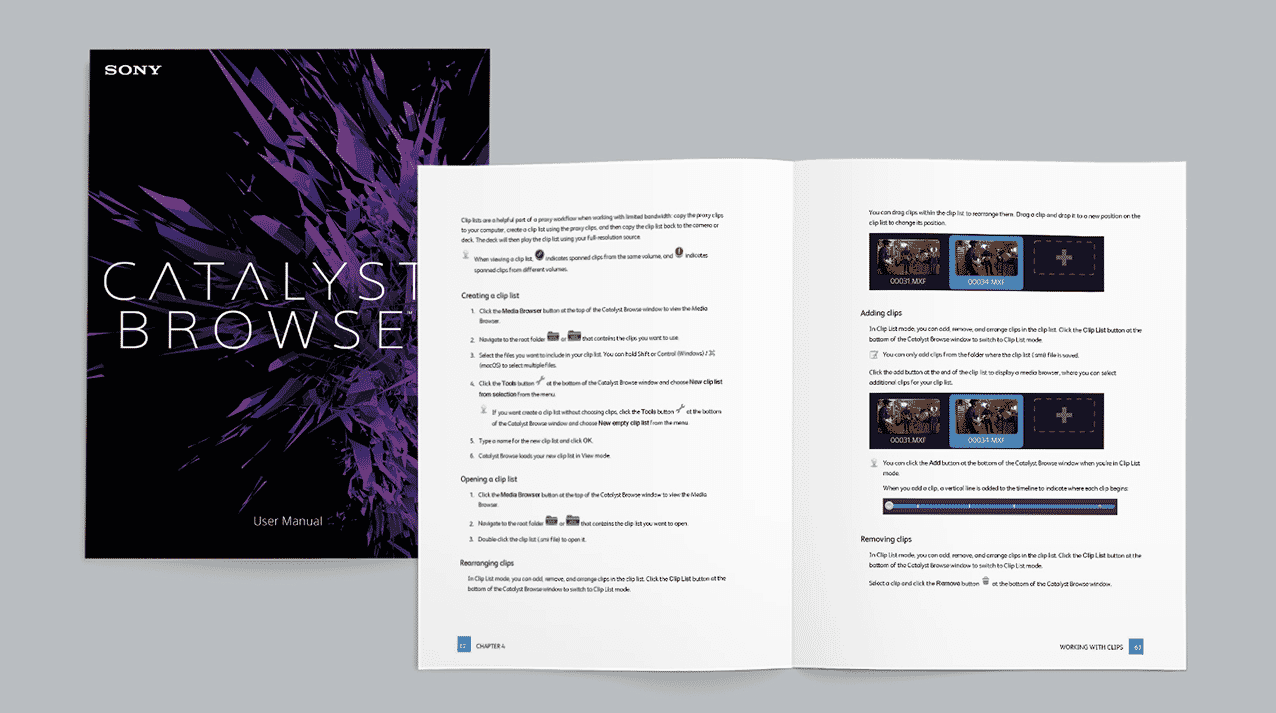
Customer Showcase
Explore real-world documentation built with MadCap Flare by organizations across industries worldwide.
Browse Showcase
Product Overview
Discover MadCap Flare’s full capabilities for responsive output, content reuse, AI-powered authoring, and multi-format publishing.
Learn MoreFrequently Asked Questions
Yes. Flare’s single-source and multi-channel publishing features let you maintain one project and generate print-ready PDFs, responsive HTML5 sites, and embedded help outputs simultaneously, eliminating the need to maintain separate content sources for each format.
Flare uses variables and conditional text to swap product names, model numbers, and specifications at build time. You write shared content once and generate variant-specific manuals automatically, reducing duplication and errors.
Absolutely. Flare’s Word import wizard converts your existing documents into structured, reusable topics while preserving formatting, images, and styles, giving you a head start on topic-based authoring.
Yes. Companies like Rivian embed Flare’s HTML5 output directly into their vehicles. Flare generates lightweight, searchable HTML5 content that integrates into software interfaces, vehicle dashboards, and hardware devices.
Flare’s content reuse features let you write shared procedures, safety warnings, and legal text once and reference them across every manual. When you update the source, every manual that uses it updates automatically.
Start Creating Professional User Manuals with MadCap Flare
Write once, publish to PDF, HTML5, and embedded formats from a single source. Start a free trial or request a personalized demo to see how Flare transforms your user manual workflow.














