FireMon Delivers Easy Access to Documentation via Web and Zendesk with MadCap Flare
 Share
Share
 Share
Share
 Tweet
Tweet



The Big Win
FireMon is trusted by more than 1,700 organizations in 70-plus countries to automate enterprise network security policy management for the world’s most complex firewall infrastructures. To facilitate customer self-service and improve its support team’s responsiveness, FireMon relies on MadCap Flare.
Increased Customer Satisfaction: Flare-based topics, indexing and metadata tagging for more accurate search results help customers find the right answer faster. Meanwhile, graphics and interactive elements seamlessly integrated into Flare topics help customers consume information in the most intuitive way for them, increasing customer satisfaction.
Reduced Support Demands: Integration between Flare and Zendesk allows FireMon’s support team to respond quickly to customer support tickets by sharing direct links to specific topics to help users find the exact guidance they need—reducing the need for support calls.
Streamlined Content Delivery: Content reuse facilitated by Flare helps speed authoring. Easy-to-navigate analytics in Flare Online help authors make corrections faster. And scheduled publishing in Flare Online helps ensure that content stays up to date without disrupting users.
FireMon is a global leader in firewall policy management, empowering enterprises to control risk, streamline operations, and scale securely across hybrid, cloud, and on-premises environments. The company automates enterprise network security policy management for the world’s most complex firewall infrastructures.
As part of its relentless customer focus, FireMon maintains multiple online resources to help enterprise security teams streamline and automate their network protection. These include web, mobile and PDF guides hosted on a public-facing website, a user center behind the firewall, and a support center knowledgebase for FireMon’s customer support team. The company also publishes content directly into the Zendesk ® cloud platform for customer service, sales and support. Today, FireMon uses both the cloud-based and on-premises versions of MadCap Flare to create, manage and publish content to these sites.
Enhancing customers’ experiences with interactive, web-based product guides was a top priority for our leadership. We needed to knock the project out of the park, and with the help of MadCap we did.

Moving from Static PDFs to Dynamic Web Content
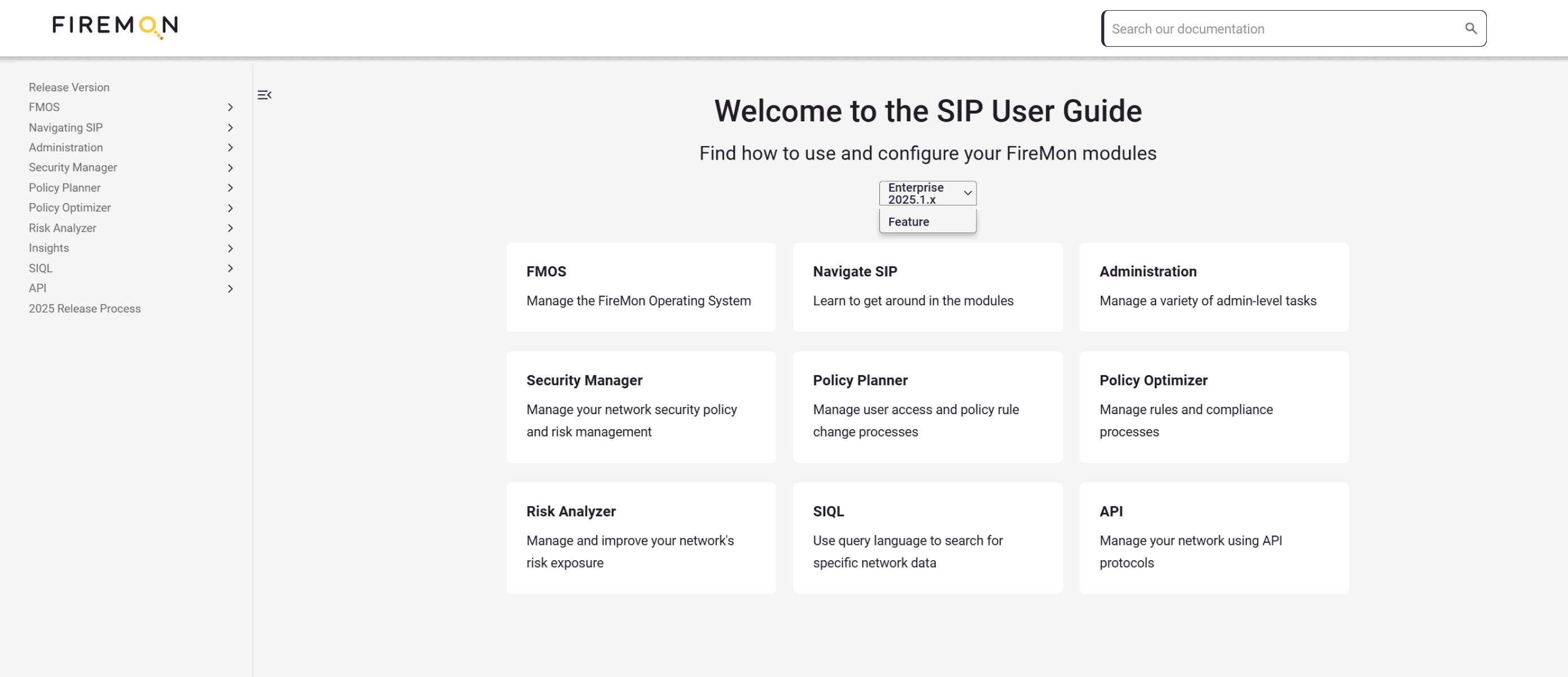
For years, FireMon relied on Flare desktop authoring software to produce product guide PDFs for customers. These resided in an online user center that could only be accessed through a private login. However, as more of the company’s offerings moved to the cloud, FireMon wanted to create an equally modern, interactive web experience for customers.
“We were publishing a lot of PDFs, but we saw how moving to a dynamic, external-facing HTML documentation site could make it significantly easier for our customers to search for and access the information they need,” said Danielle Craig, FireMon director of customer experience operations and program management. “We also recognized that the broader functionality of Flare Online would give us the capabilities to make this transition.”
FireMon was ready to move quickly, but there was one hurdle. The company’s technical writing team needed to remain focused on content creation and keep pace with FireMon’s product release schedule. The solution was to have MadCap Software’s consulting services create a new HTML5 template for content on the public-facing website that was tailored specifically to FireMon’s requirements.
“Our MadCap consultant was fantastic, and the process was straightforward. We documented our requirements and certain functionality that was critical for us, and he turned around a customized template within a couple weeks,” Danielle recalled.
Providing a Central Content Repository for Multiple Resources
Today, all FireMon user guides are created and maintained in a central repository using Flare. From there, user guides and other documentation are pushed out to multiple sites and systems. These include the new public-facing website with interactive product help guides, the User Center where PDFs of technical articles reside, and a Support Center Hub used by FireMon’s customer support teams.
“Flare and the customized template let us create dynamic, user-friendly guides that can be easily updated and accessed across different platforms, and our online guides now serve as the primary source of truth,” Danielle notes. “Ultimately, this allows us to enhance the user experience while aligning with modern documentation standards.”
Meanwhile, the Support Center Hub and highly searchable user guides enable FireMon’s support team to respond to user requests faster.
“A customer will submit a Zendesk help ticket, and because the user guide is very searchable, a support representative can respond quickly with a link to the exact page that answers the user’s question,” Danielle explains. “We’ve gotten great feedback from our support team, who appreciate how easy it is to use Zendesk and our Flare-based guides to help direct customers in a highly effective manner.”
Enriching Users’ Experiences
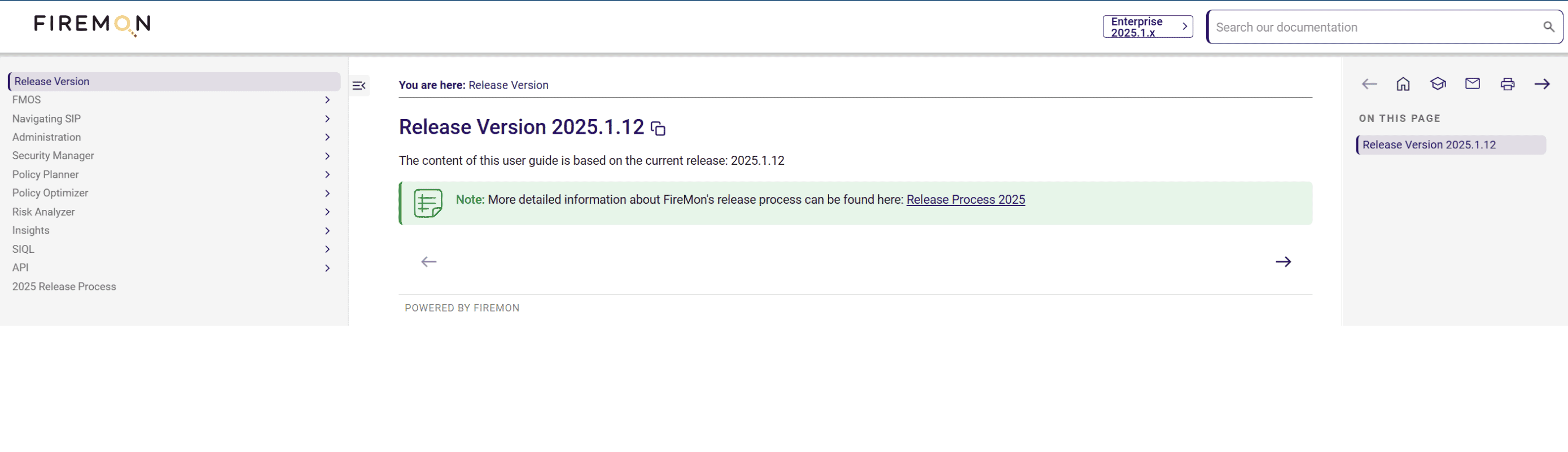
FireMon has tapped several capabilities in Flare to create a superior experience for users. Topic-based authoring and navigation elements in Flare—such as tables of contents (TOCs), indexes, and breadcrumbs—free users from having to scroll through long manuals and instead allow them to easily locate short, task-focused instructions. Meanwhile, the reusable template ensures a unified look and feel.
“Flare’s single-sourcing functionality has allowed us to deliver consistent, version-specific content across multiple channels from a central content source,” Danielle notes. “As a result, we can ensure accuracy for our customers even as we streamline our workflows.”
Additionally, FireMon helps users find the right answer faster by leveraging Flare’s indexing and metadata tagging for more accurate search results and utilizing faceted filtering to let users refine searches by product version or content type.

Flare has helped us create documentation that is more intuitive, easier to search, visually engaging, and scalable. This has allowed us to directly improve user satisfaction while also reducing our support overhead.
Danielle Craig
Director of Customer Experience Operations & Program Management | FireMon, LLC
Because customers have different learning styles, FireMon has also expanded the use of multimedia in its documentation. Now graphics and interactive elements are seamlessly integrated into Flare topics and optimized for responsive design. This enhances accessibility and allows users to consume information in the way that works best for them.
“We continue to get wonderful feedback about the richer experiences we’re providing customers since introducing web-based guides with Flare,” Danielle says.
Finally, FireMon solicits input from customers about their experiences by allowing them to simply click a button at the bottom of each web page to provide feedback and automatically submit it.
"Overall, Flare has helped us create documentation that is more intuitive, easier to search, visually engaging, and scalable,” Danielle observes. “This has allowed us to directly improve user satisfaction while also reducing our support overhead.”
Speeding Documentation Delivery
FireMon offers three main product lines: Policy Manager, Cloud Defense, and Asset Manager—some of which have multiple modules—plus several integration offerings. With content now being delivered in a range of web and print formats, the technical writing team relies heavily on Flare’s content reuse capabilities to speed documentation delivery and ensure consistency across product lines. These include topic-based authoring, conditional text, and snippets.
The ability to update a single topic in Flare and have it reflected across all outputs helps FireMon maintain consistency and reduce errors. Meanwhile, conditional text and snippets help the company to tailor content to different audiences and avoid redundancy.
“Flare is especially helpful since each month there are two release versions, and using conditional text allows our technical writing team to use a single topic for publishing different sets of instructions based on the release,” Danielle says. “We also appreciate that the ability to support multiple targets and page layouts from the same content repository in Flare streamlines our publishing needs.”
Strengthening Control and Responsiveness
Expanding FireMon’s use of MadCap to include Flare Online has helped the technical writing team to strengthen both control and responsiveness. First, FireMon has migrated from using the Bitbucket Cloud Git solution to Flare Online to facilitate version control.
“The ease of using Flare Online was a big selling factor in upgrading from our Flare desktop software and replacing Bitbucket Cloud for version control,” Danielle noted.
Second, the company relies on scheduled publishing in Flare Online to make and synchronize updates during business hours, then automatically publish after hours. This ensures content stays up to date without disrupting users.
The ease of using Flare Online was a big selling factor in upgrading from our Flare desktop software and replacing Bitbucket Cloud for version control.
Danielle Craig
Director of Customer Experience Operations & Program Management | FireMon, LLC
“We appreciate that the build process with Flare Online is faster and easier, since the ability to schedule a push to publish has helped immensely with flexibility and urgent requests,” Danielle says.
Third, since upgrading to Flare Online, FireMon has been taking advantage of easier-to-navigate analytics and critical reports to better understand how documentation aligns with users’ requirements.
“With Flare Online, our technical writing team can quickly review issues online and then address them directly in the Flare desktop application,” Danielle explains. “All together, Flare significantly streamlines our documentation process, making content creation faster, more efficient, and easier to maintain, while ensuring that we can meet the needs of diverse audiences and publishing channels.”
Danielle adds, “Enhancing customers’ experiences with interactive, web-based product guides was a top priority for our leadership. We needed to knock the project out of the park, and with the help of MadCap, we did.”
Share
ShareTweet
Discover the MadCap Advantage
MadCap Software makes it easy for technical and learning teams to author, manage, publish and distribute content—all in one place.














