Advanced computer-aided translation (CAT)
Tools for technical authors, documentation teams and translators
Whether you are a technical author or content developer preparing MadCap Flare projects for translation, or you’re a translator managing translation projects, MadCap Lingo offers a streamlined workflow to manage the translation process – including the packaging of files, the creation and use of translation memories, project reporting and more.
Authors and Document Managers
A Superior Workflow for Translators and Documentation Teams
MadCap Lingo is a translation tool that makes it easy to translate your content. Our computer assisted translation software or CAT software lets you import a variety of file types, avoid out-of-project file transfers, integrate features such as translation memory, and produce accurate project statistics, estimates, and reports. You can use MadCap Lingo as a CAT tool, as a translation management system, or both.
download madcap lingo workflow diagram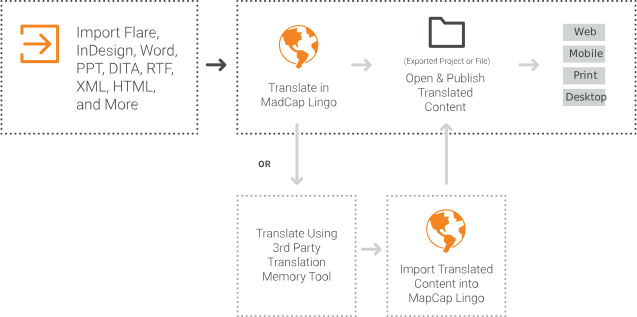
- No need for out-of-project file transfers
- Prepare files for translation using MadCap Lingo’s project packager
and send to translation
vendor (single ZIP file) - Output translated documents at will
- Create and manage your own translation memory
- No missing files or translation candidates
- Accurate project statistics, estimates & reports
Package and Send Content with Project Packager
With Project Packager, prepare and manage all your files prior to sending for accurate translation in one easy step.
- Ensure all necessary files are packaged for document translation, including images with caption call-outs
- Bundle and save all files required for document translation into a single Zip file for use by a translator
- Bundled files are converted to the industry-standard XLIFF format, meaning files can be imported into any tool
- Easily incorporate and merge translated content once translated back into MadCap Lingo and Flare for publishing

Ensure Project Integrity
Avoid content and formatting corruption issues that are common with traditional language translation software and localization workflows.
- No need to transfer/ship files out of a project
- Keeps all files in context for better translations
- No risk of losing files or content
- Natively open source documentation created in either MadCap Flare or MadCap Contributor
- Seamless and automated translation of multimedia elements with MadCap Mimic and MadCap Capture integration

Detailed Statistical Reports
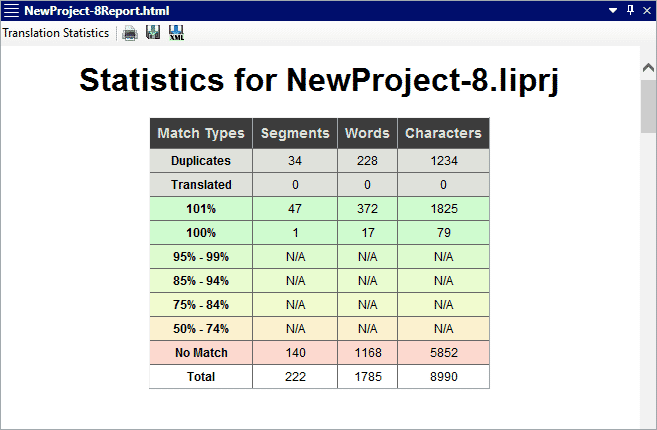
- Run statistical reports showing detailed information for each project and file to determine what has/has not been translated; how many words/segments translated and/or still need to be translated etc.
- Gain visibility at any stage during the translation process for each project and/or file to determine translation project status, including what has/has not been translated, how many words/segments translated, etc. and what needs or does not need to be translated into a different language.
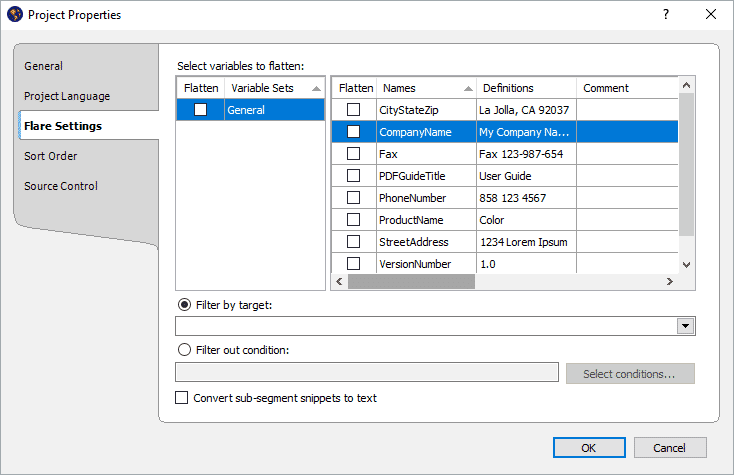
Advanced Features Such as Convert Variables to Text
Replace MadCap Flare variables in a project with their definitions as plain text. This can be done when you create or update a project based on a Flare project.
A Free Review Workflow with MadCap Contributor
Send your translated project to individuals for review with Review Packages using MadCap Contributor.
To review content, follow these steps:
- Export a Review Package from a MadCap Lingo project
- Send to third party for review
- Third party can review and edit file using MadCap Contributor
- Once completed, third party exports revised Review Package file
- Author imports the Review Package into MadCap Lingo
- Author accepts or rejects reviewer changes using Track Changes

Plus: A free review mode in MadCap Contributor allows anyone to review your translated content.
Translators
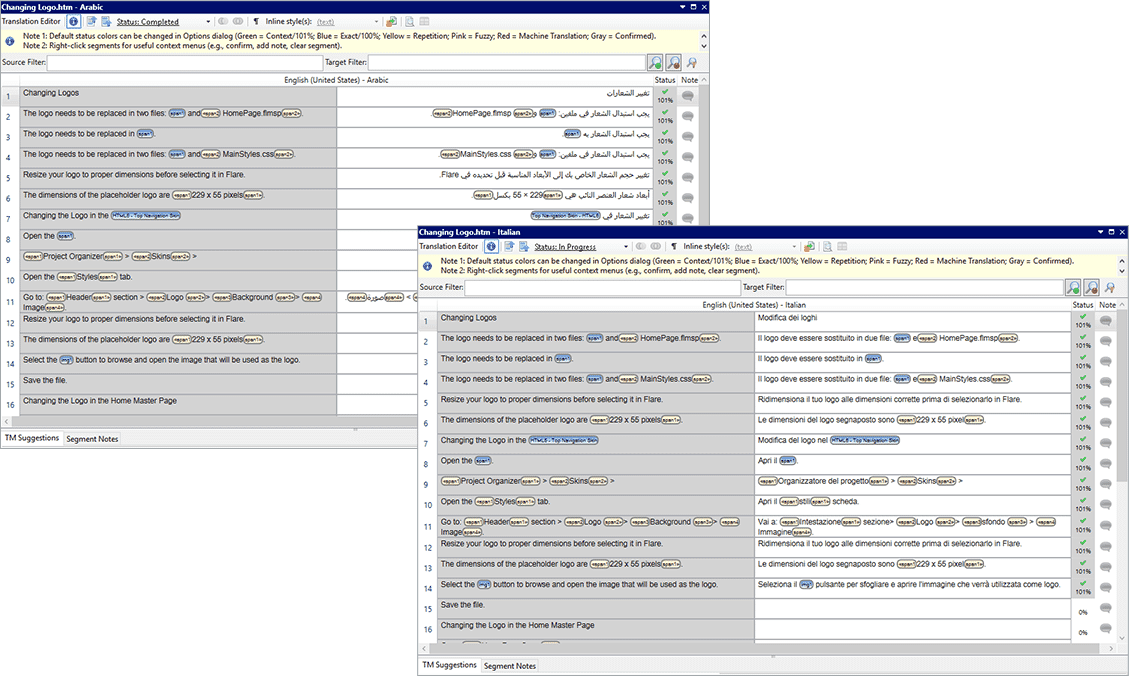
Multi-Language Translation Support
- Right-to-left language support for Arabic, Persian and Hebrew
- Unicode support for Western European languages
- Double-byte support for Asian languages
- Extended language support (Eastern European languages)
Translation Memory Support
Translate more content with greater efficiency using a linguistic database that captures your translations as you work for future re-use.
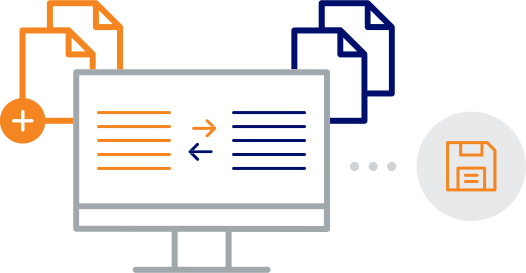
- Differences shown when new version uploaded
- Built-in translation memory system (MadCap Lingo Database)
- Find-and-Replace and Find-in-File search
- Full TMX (Translation Memory eXchange) support
- Translation alignment
- Translation Memory Editor
- Connect to multiple TMs at a single project
- Access multiple translation memory databases
- SQLite database support
- Ranked translation memory support
Get Suggestions with Machine Translation Support
Generate translation suggestions from web-based translation service providers, including Google® Translate, Microsoft® Translator, DeepL and MyMemoryTranslated.net.
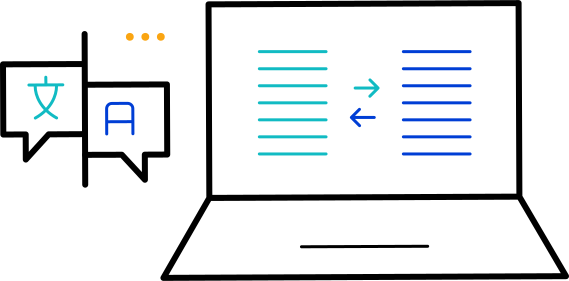
- Pre-translate with translation memory, machine translation, or both
- Search machine translation suggestions using concordance search
- Make post-editing easier than ever with built in hooks to major translation APIs (Google®, Bing™, MyMemory)
- Connect to a single translation service or multiple services simultaneously to compare results prior to accepting
View Translations in Real-time with a Live
Preview
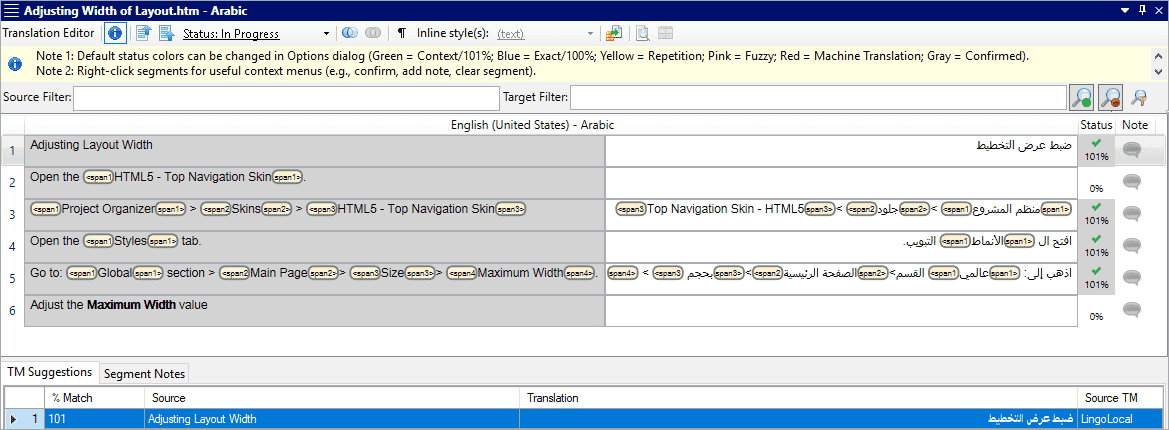
Translation Editor
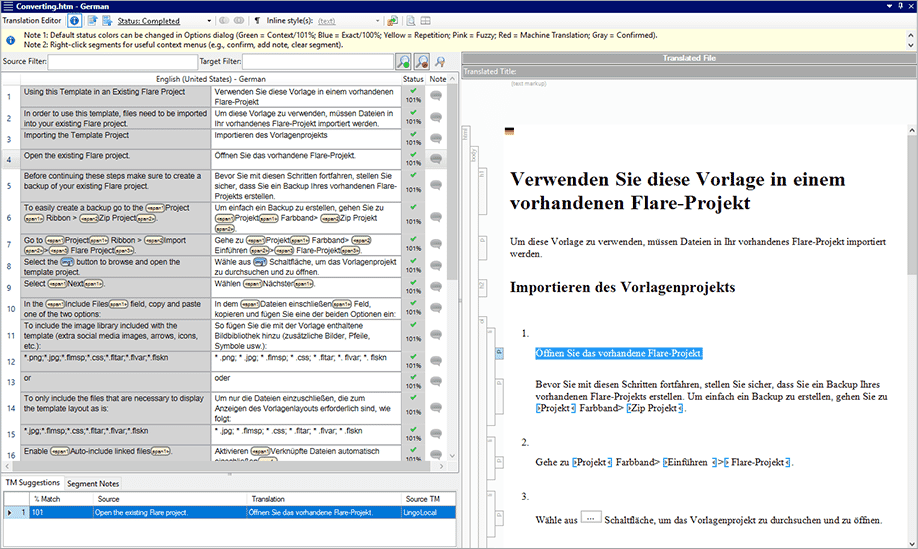
Display a live preview of the translated file next to the source content in the Translation Editor.
Preview support includes:
- Microsoft® Word and PowerPoint files
- MadCap Flare files
- MadCap Capture images with callouts
Robust File Support
MadCap Lingo is fully-integrated with MadCap Flare, MadCap Doc-To-Help, MadCap Contributor, Mimic and Capture, and supports the following file formats:
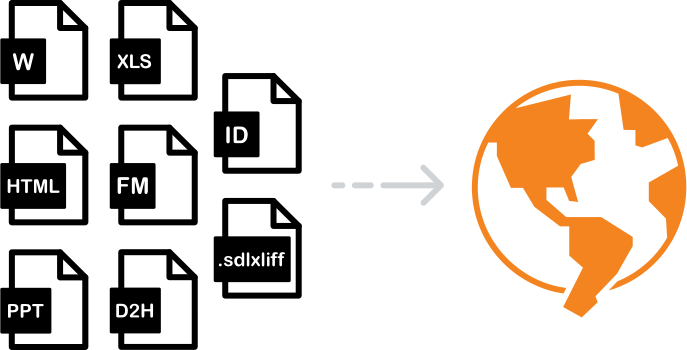
file formats supported include:
- Adobe® FrameMaker® (FM, MIF, and BOOK) and InDesign® (IDML)
- DITA files (DITA, DITAMAP, XML)
- Doc-To-Help files (D2H)
- HTM and HTML documents
- JSON files
- MadCap Capture and Mimic files
- MadCap Flare and Contributor projects
- MadCap Flare micro content files (FLMCO)
- Microsoft® .NET Resource files (RESX)
- Microsoft® Excel®, PowerPoint® and Word files
- Properties files (.properties)
- Rich text files (RTF)
- SDL Trados® files (SDLXLIFF and TTX)
- SVG files
- SQL files
- TXT files
- Wordfast files (TXML)
- XLIFF files (XLF)
- XML files
Terminology Management
Increase translation quality using a searchable database that stores terms and rules regarding their usage. View terminology details for multiple languages, including:
- Product-specific terminology
- Gender or description
- Usage
- And more

Find and Fix Errors with Quality Assurance Reports
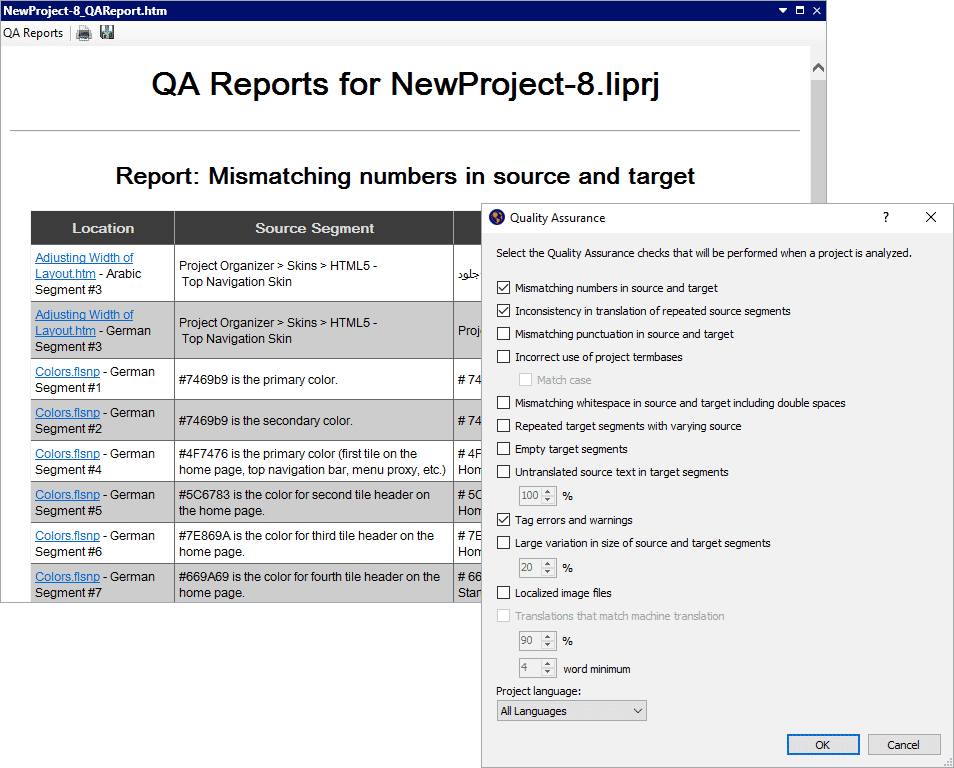
Find errors such as formatting inaccuracies, repeated segments, or termbase errors.
- Report on discrepancies between source and target segments
- No more guessing where validation or tag issues exist
- Validate spacing, punctuation and terminology usage
- Identify translation inconsistencies and duplicate segments from previous translations
- Identify areas of text expansion
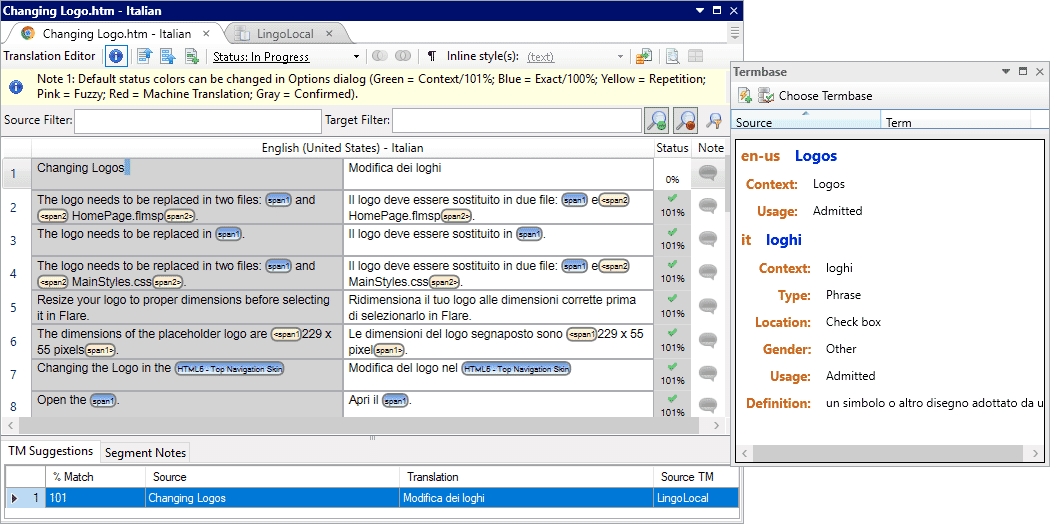
Advanced Side-by-side Translation Editor
Utilize side-by-side editing and use suggestions from a translation memory (TM) database for better translations.
- Customizable interface to include side-by-side, above/below translation editor
- Built-in live preview makes it easier than ever to identify formatting or structure change based on translated content
- Project and segment level metadata exports in the new MadCap Lingo bundle format
Support for Multiple Translation Memory Connections
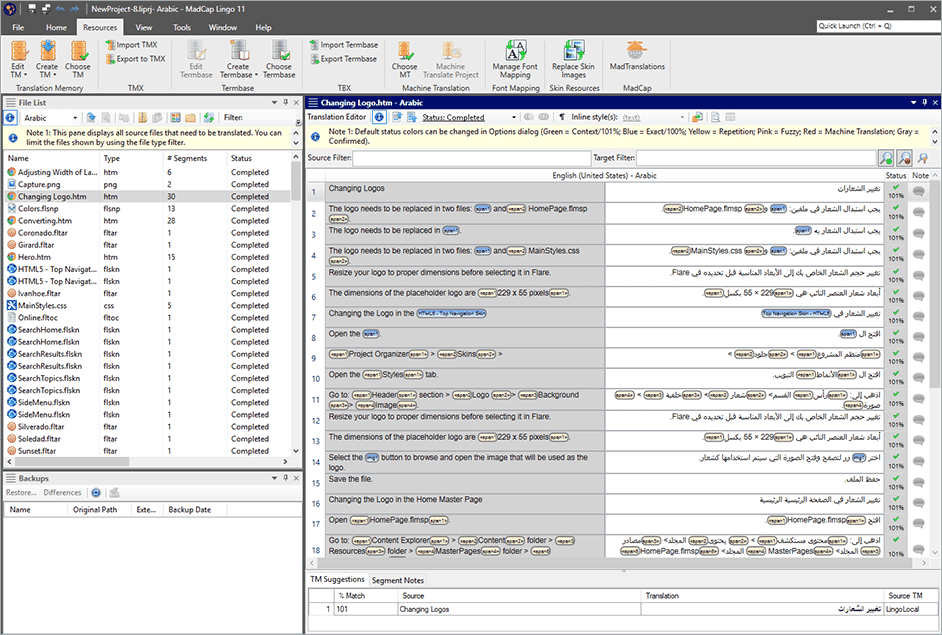
MadCap Lingo lets you select multiple Translation Memory databases in a single project.

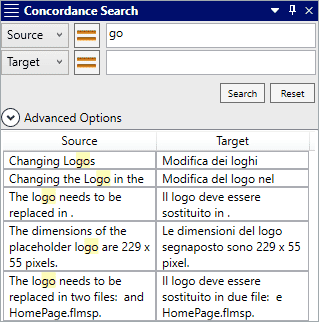
Concordance Search
Search across entire Translation Memory databases to easily find previously translated content.
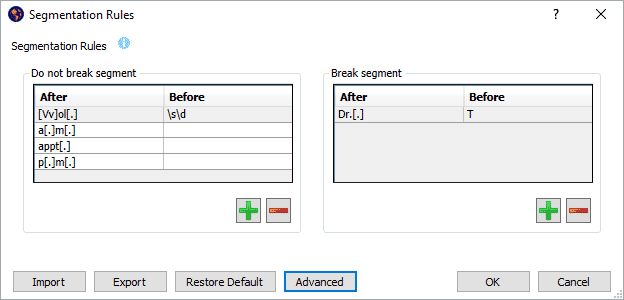
Segmentation Rules Editor
Split and join segments automatically using segmentation rules, or split and join content manually.
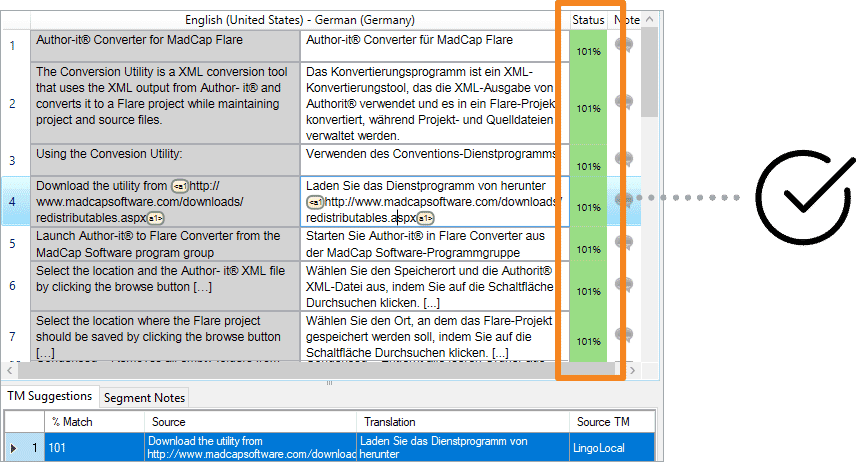
Support for 101% Matches
Take context into account with 101% matches. In addition to exact and fuzzy matches, MadCap Lingo supports 101% context matches in TM, providing an exact match to previously translated content.
Translation Statistics including Segments, Words, Number of Duplicates and More
Get statistical reports for word count, translated content, content requiring translation and more for individual files or selected groups of files, in addition to an entire project.
Translation Memory Suggestions
Take advantage of previously translated content and get suggestions while working in the editor.
Termbases
Termbases ensure consistency across the terminology in your project. Create, manage, and reuse multilingual terminology from a single storage area and reduce the time and effort required to translate new documents.
- Integrated concept-oriented terminology database
- Metadata for terms shows part of speech, gender, usage, customer, geographical usage and more
- Create, manage and reuse terminology from a single storage area
- Improve the reliability of translations with MadCap Lingo automatically suggesting previously used terms during translation
- Leverage previously translated terms with import and export of TBX-Basic (Termbase eXchange) files
- Ranked termbases support
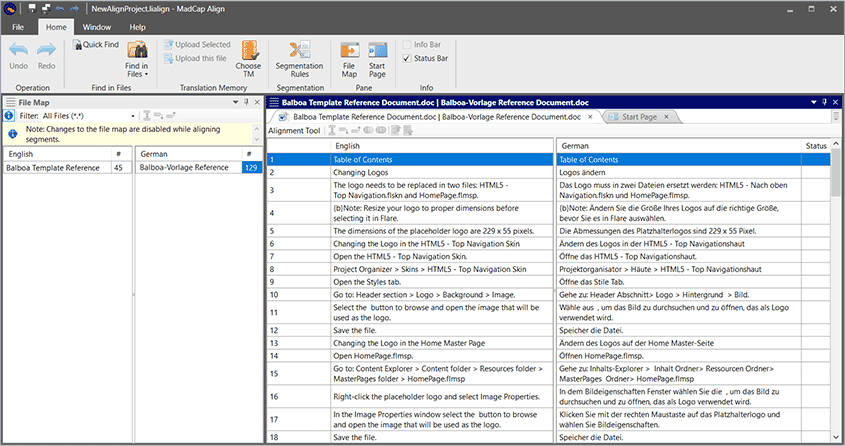
Align Utility
With the computer aided translation tool, translators can create an alignment project and manually align files and segments as needed. The MadCap Align tool provides two benefits:
- A more intuitive workflow with a clear separation between the translation and alignment processes.
- Greater flexibility, since translators can continue to work within MadCap Align even when the MadCap Lingo software translation is closed.
“MadCap Lingo and Flare let us flawlessly run our translations—ensuring that whatever formatting we have applied will come out exactly the same way in all other languages.”
Angela Richer
Manager of Documentation and Localization | Autotask
Cognex Switches to MadCap Software to Deliver a Searchable Knowledge Base, Multiple PDF Guides in Eight Languages, and Modern Documentation Website
Learn More