
The World's #1 Platform that Powers Technical Documentation
Reimagine the way you create and deliver content—easier, smarter, and always ready for what’s next.

Trusted by the world’s leading companies:












One Platform. Smarter Workflows. Measurable Results.
From import to analytics, Flare unifies your content process so teams spend less time reworking and more time delivering consistent content everywhere it’s needed.
Import
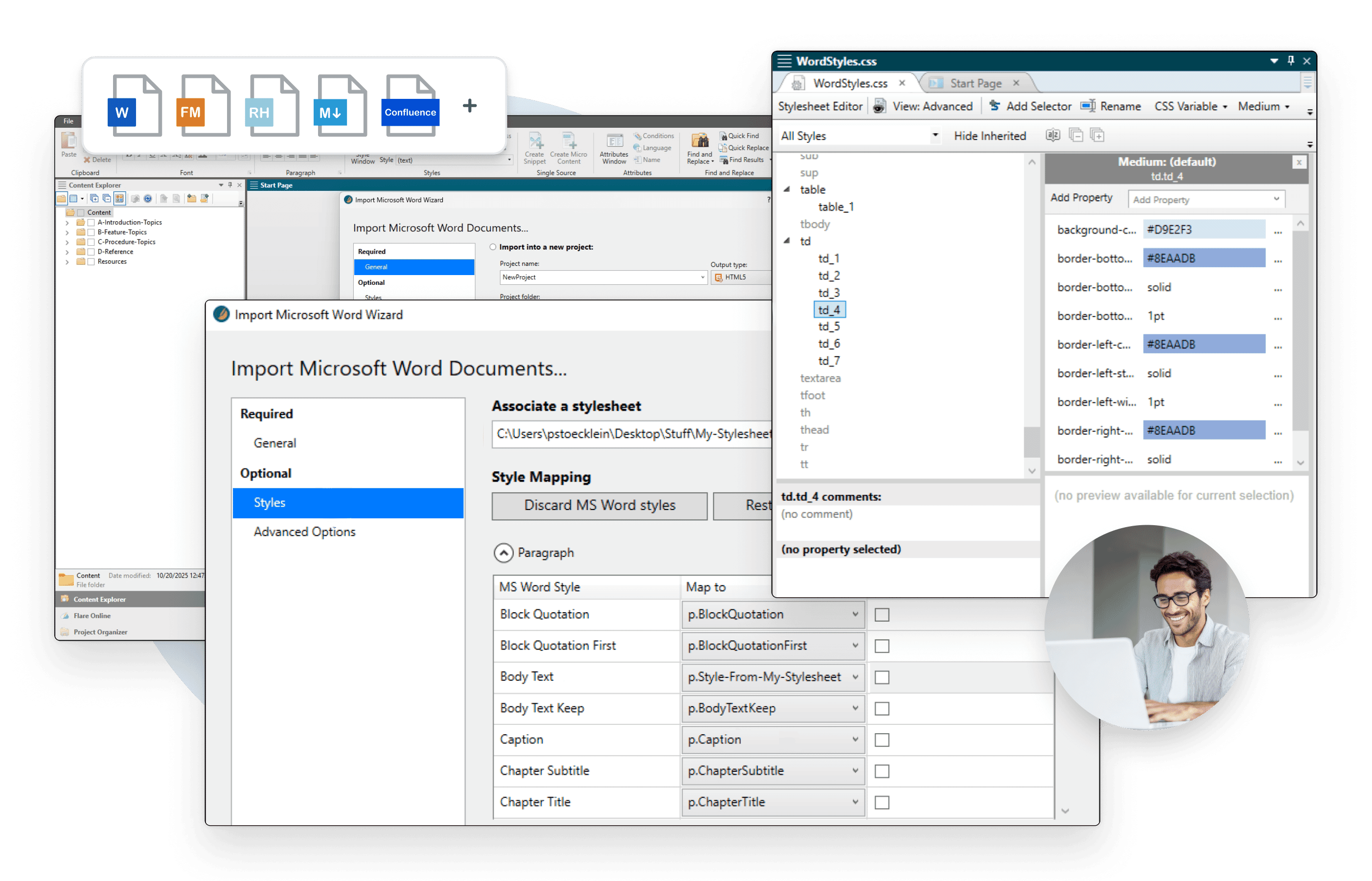
Fast, intuitive migration from legacy tools.
- Drag-and-drop importing with customizable wizards that convert files into reusable topics.
- Easy Sync keeps imported files linked so source changes update automatically. Support for Word, Excel®, Confluence®, FrameMaker®, RoboHelp®, DITA, and more.
- Flare preserves TOCs, styles, variables, and links during import, minimizing cleanup and rework.

LI-COR Environmental Standardizes on MadCap Flare to Deliver a Modern Technical Support Website, Embedded Help, and 150-Plus PDFs

Doubled Productivity Through Content Reuse
Authoring
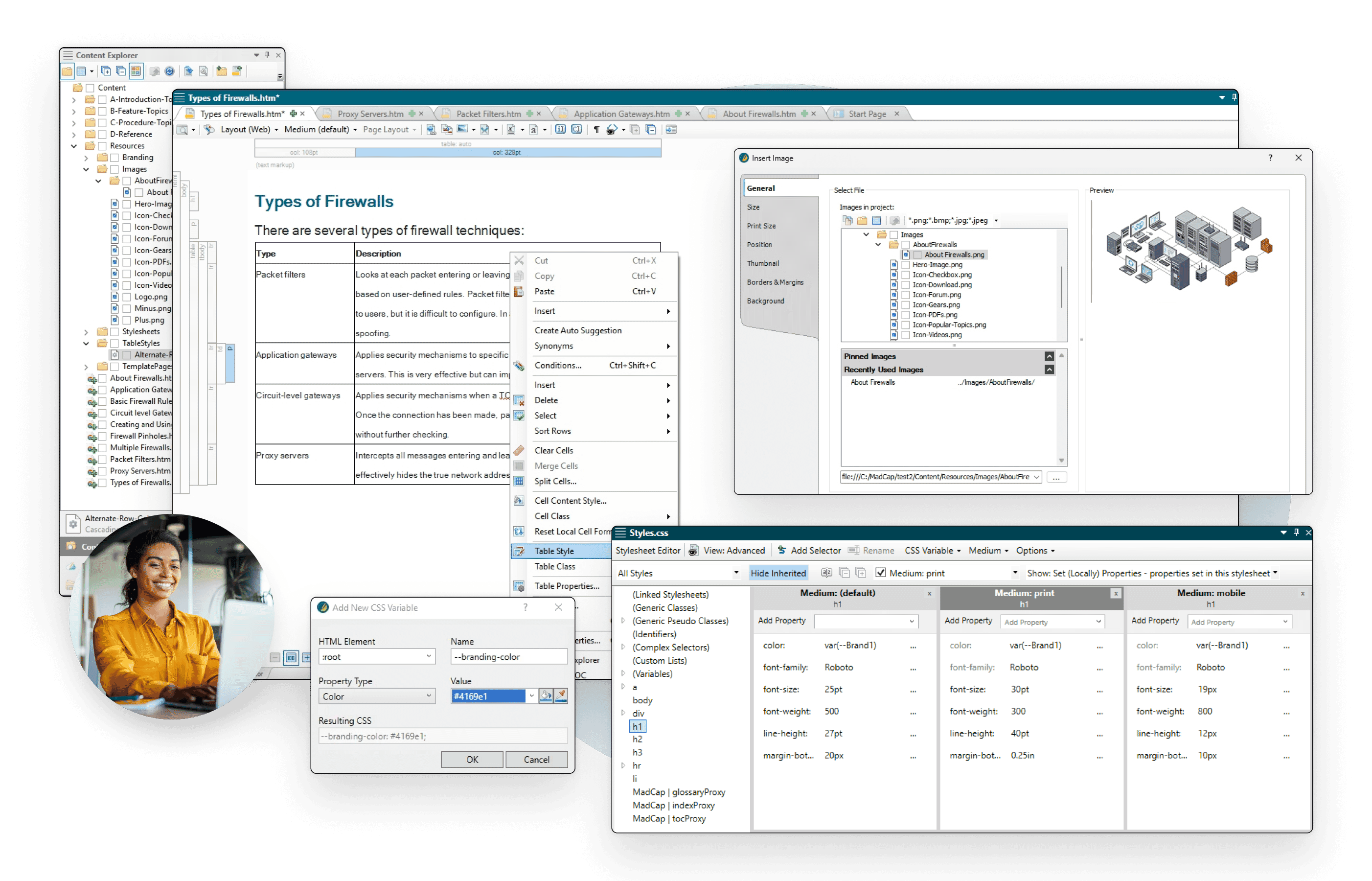
Write once, reuse everywhere.
- Topic-based authoring turns content into reusable blocks for guides, training, help sites, and more.
- Micro content powers searches, feeds chatbots, and supports AI-driven applications.
- Create on-brand deliverables with the Brand Editor and pre-built templates—no CSS expertise required.
- Develop interactive eLearning with SCORM/xAPI-compatible course creation.

Axiom Law Sees Five-Fold Increase in Users’ Searches After Adding Micro Content to the Modern Documentation Websites it Delivers Using MadCap Flare and MadCap Flare Online

5x Increase in Users’ Searches
Review
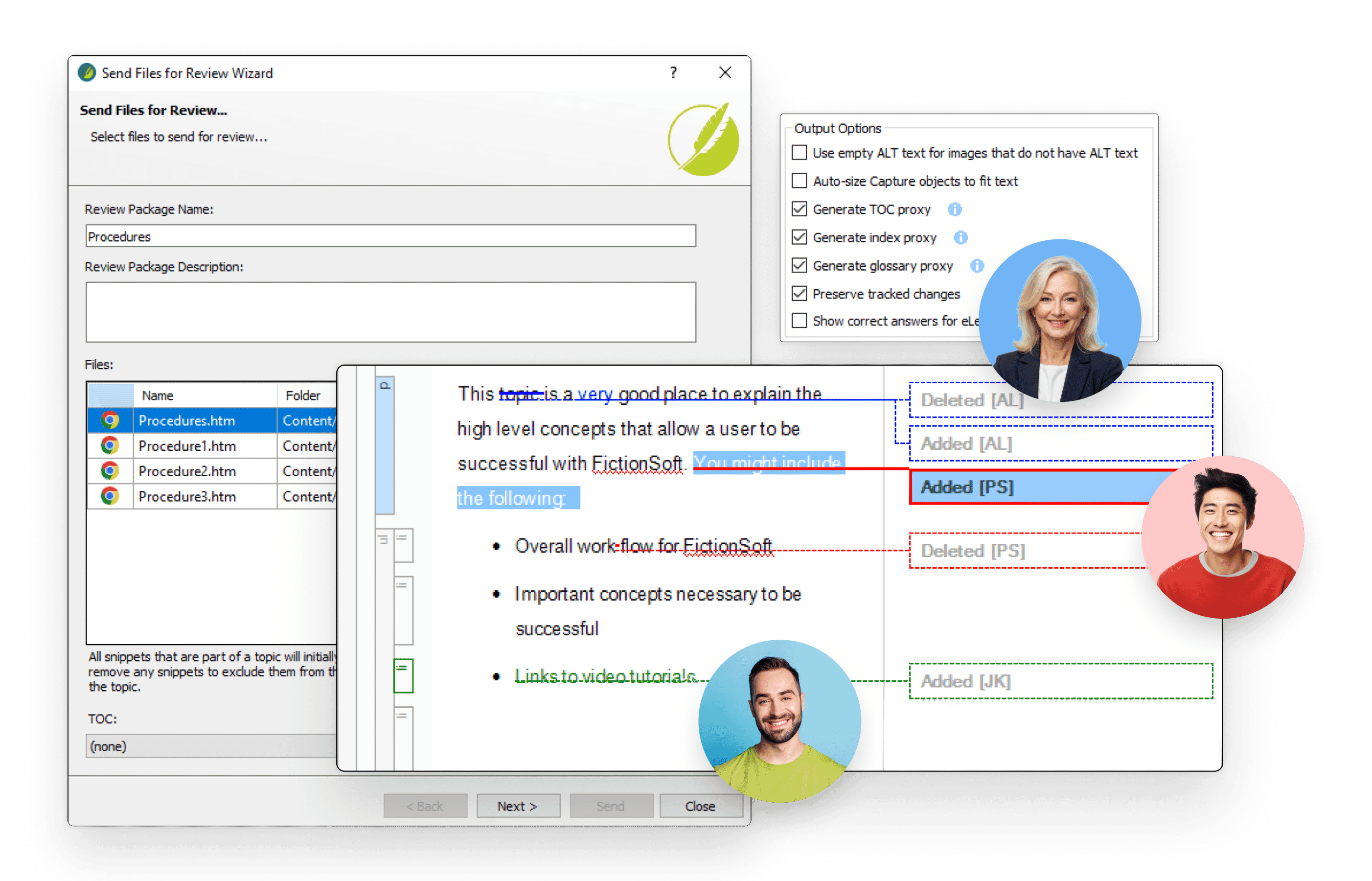
Real-time collaboration with Flare Online.
- Flexible workflows allow SMEs and non-Flare users to edit and review content directly in the browser without software installs.
- True concurrent authoring allow teams to collaborate seamlessly, in real time.
- A lightweight, simplified interface keeps the focus on contribution, not complexity.

Bullhorn Reduces Support Demands by Using the MadCap Flare to Provide Customers with a Central Cloud-Based Hub for Knowledge Base Content
Improved Publishing Time to Salesforce® Knowledge Articles
Translation
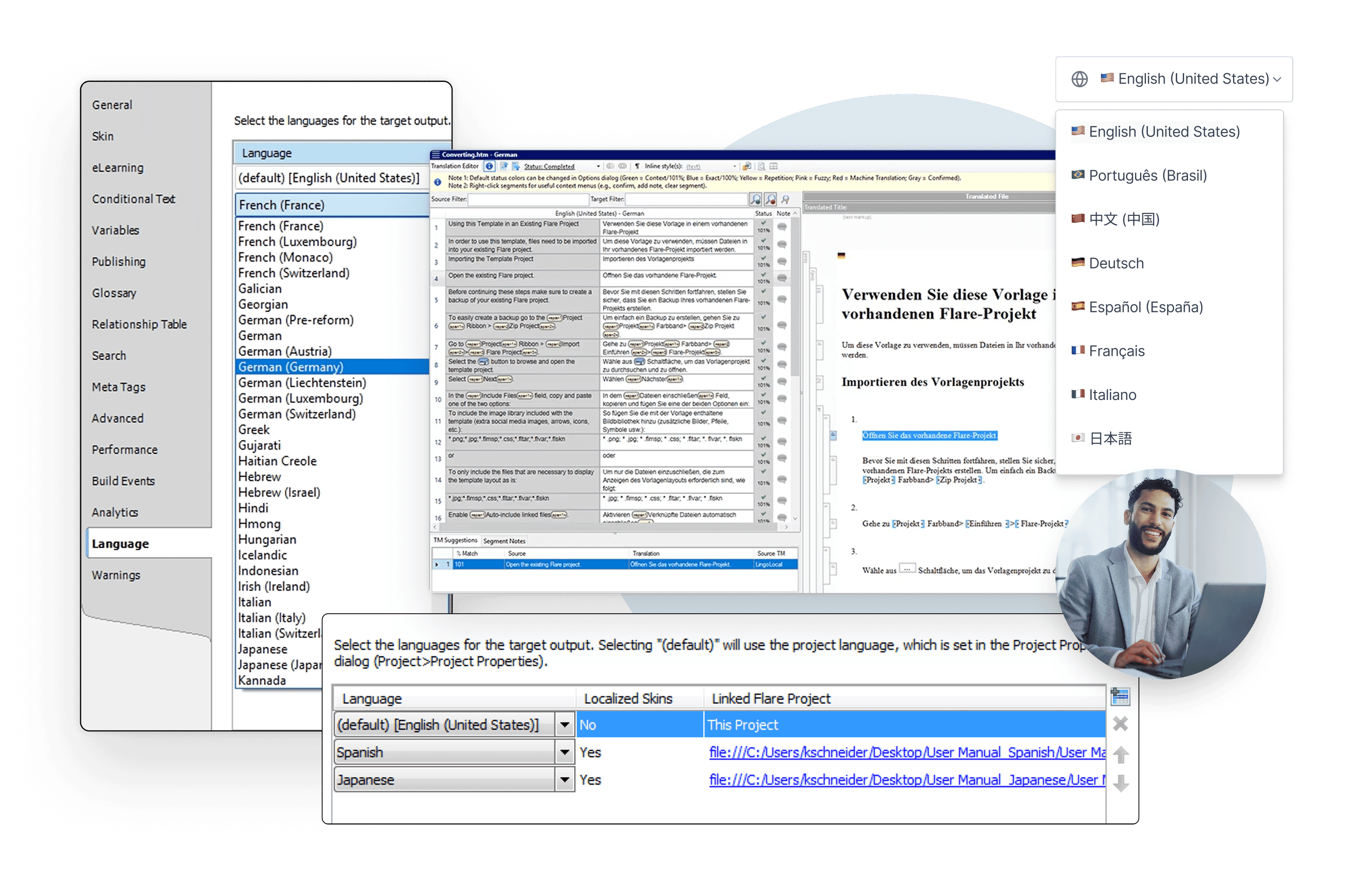
From one source to every language.
- Publish multiple languages in a single output for both print and online content.
- Supports unicode, double-byte, Cyrillic, and right-to-left languages including Hebrew, Arabic, and Persian.
- Single-sourcing means content is translated once, and reusable across every output.
.png)
Alliance Machine Systems International Speeds the Delivery of Training and Product Manuals for Global Customers in Up to Four Languages Using MadCap Flare Online

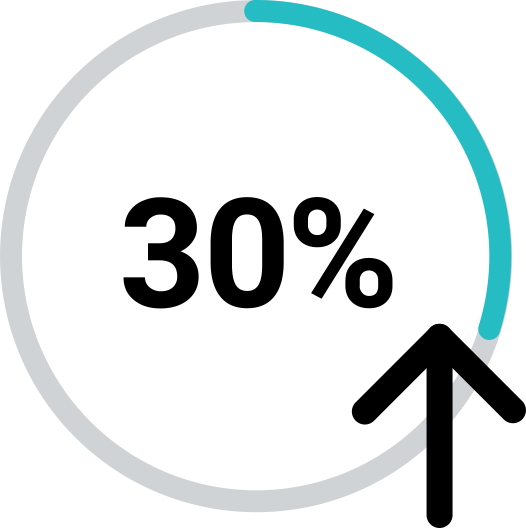
Translate 3x faster and cut costs by 30%
Publishing
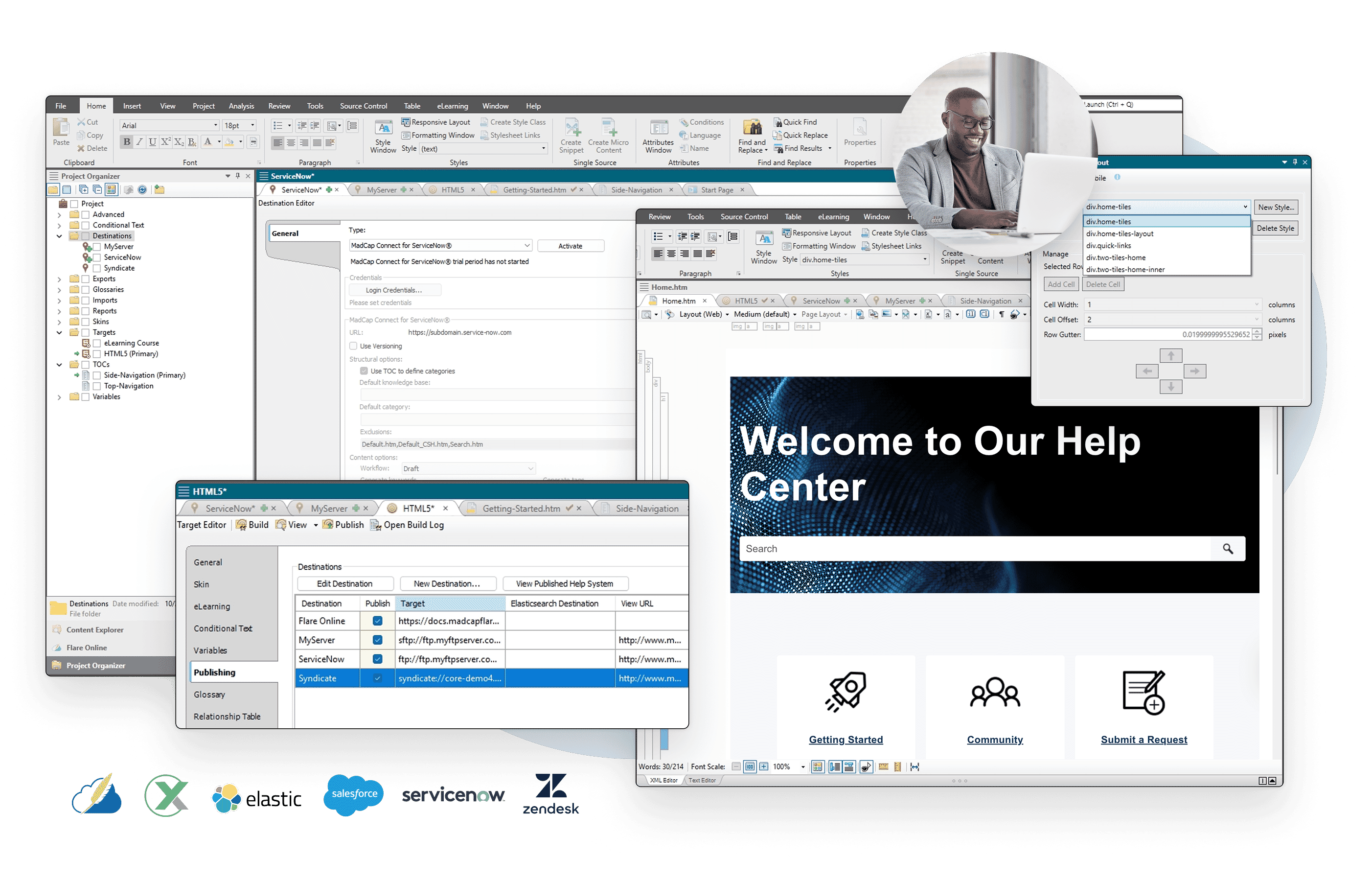
Consistent delivery across every channel.
- Deliver responsive outputs to HTML5, PDF, Word, PowerPoint®, SCORM, and more.
- Publish directly to Salesforce®, Zendesk®, and ServiceNow® or integrate with MadCap SyndicateAI for advanced hosting, analytics, and compliance.
- Proven to support enterprise publishing at scale handling the largest, most complex projects with ease.

Rivian Uses MadCap Software to Embed Interactive Owner’s Guide in Vehicle’s Infotainment Dashboard

Interactive Information at Drivers’ Fingertips
Analytics
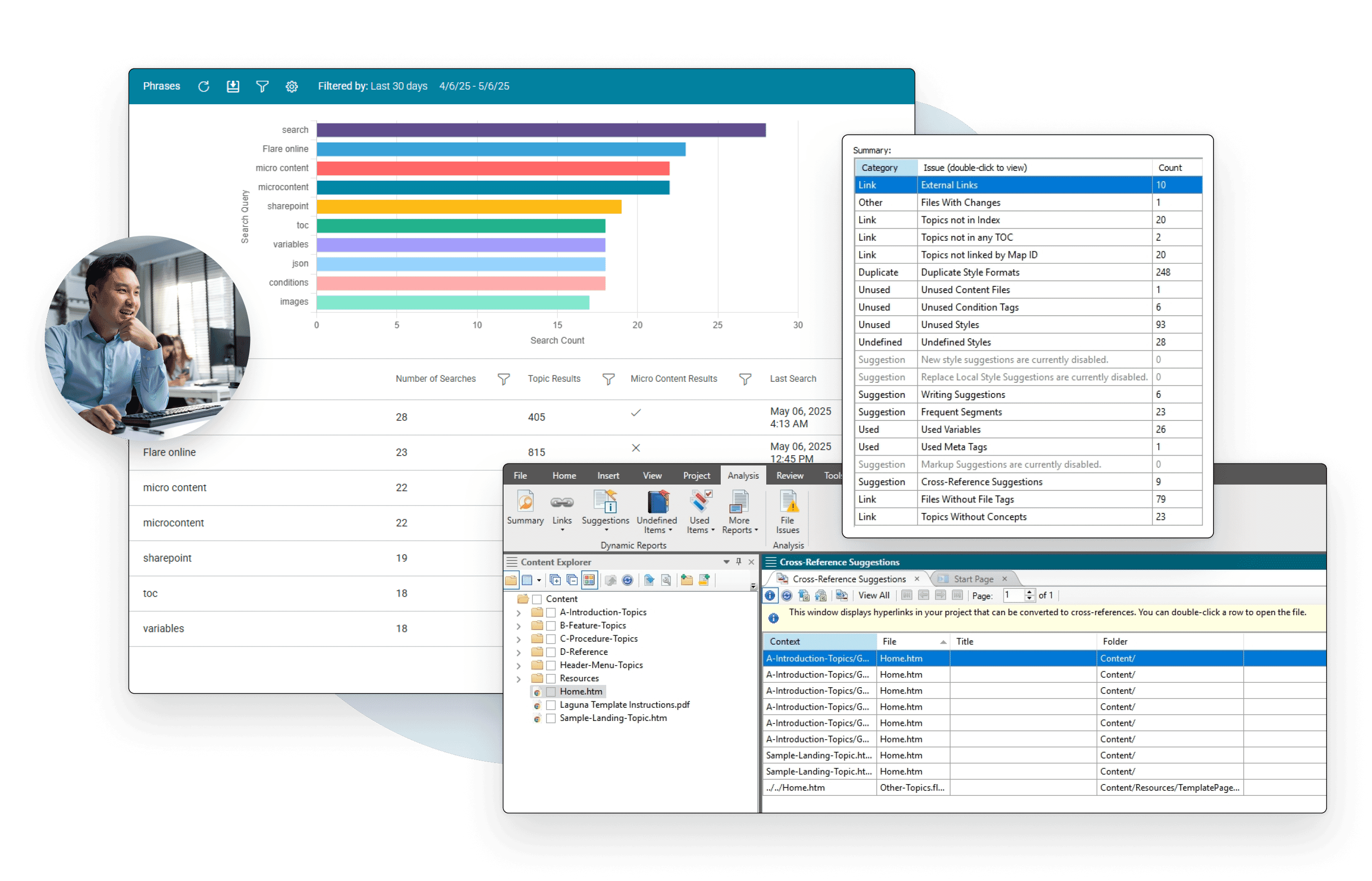
Measure and improve performance.
- Find broken links, missing images, duplicate styles, unused content, and accessibility issues, plus suggestions for snippets and variables.
- Readability and text analysis reports measure clarity, sentence length, and keyword usage to maintain content consistency.
- With Flare Online, track topic views, searches with no results, and user behavior—turning insights into action to improve content relevance and user experience.

Dayforce Relies on MadCap Software to Reduce Demands on Support by Delivering Modern Web Help Sites, Tutorials and Knowledge Bases for its Cloud HCM Platform

Reduce Demands on Support With Modern Help Sites
The Flare Advantage: One System. Total Flexibility.
Growing content demands more than speed. Flare helps teams scale content while maintaining control, consistency, and accuracy.

Flare Online: Collaborate & Move Fast
- Author and update content quickly, from anywhere, without a local install
- Concurrent authoring and real-time SME review workflows built directly into the authoring process.
- Browser-based access with AI-assisted writing to accelerate every draft


Flare Desktop: Power & Control
- Single-source authoring built for large, complex content sets
- The industry-standard environment for structured authoring and precise control
- Full offline capability for high-performance work on demanding projects
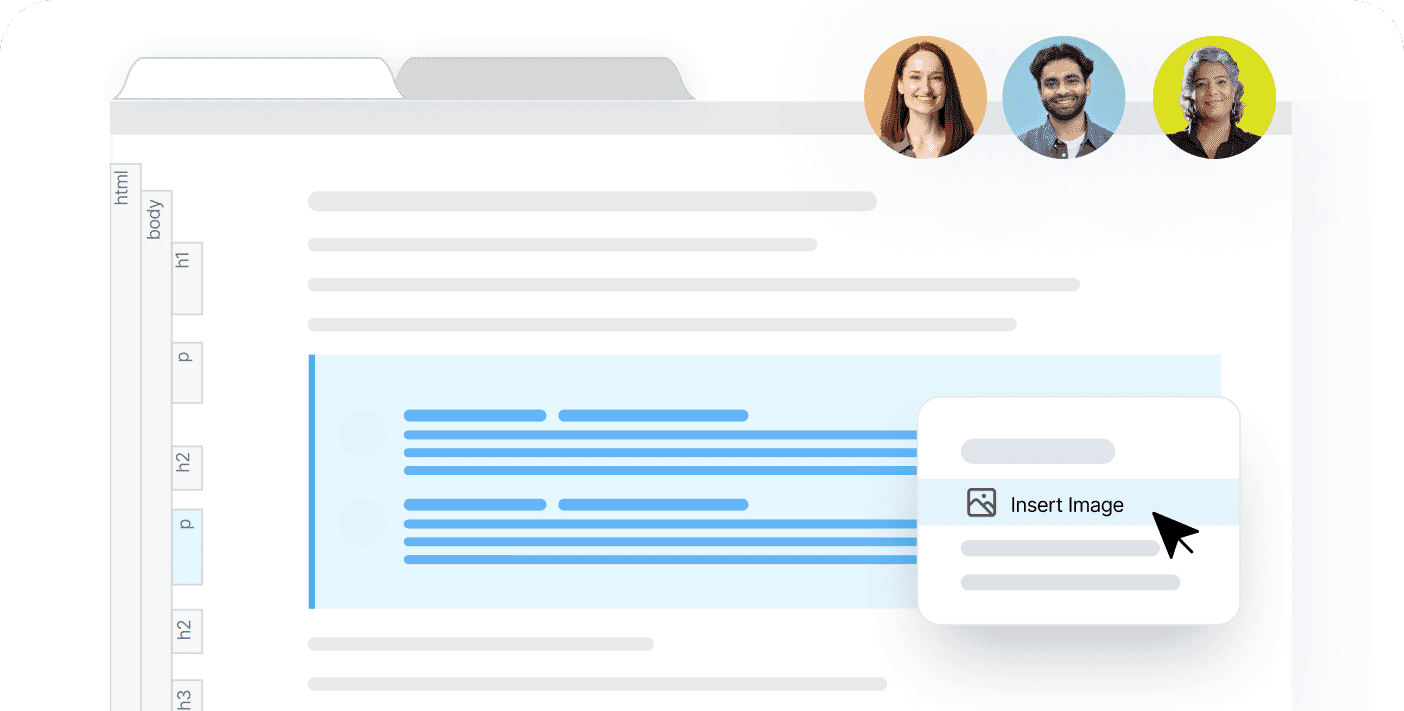

Unmatched Flexibility in Delivery
Competitors lock you into limited formats or narrow ecosystems. Flare adapts to your needs and delivers responsive content across web, print, training, and enterprise systems without compromise.

Publish at Scale, Without Trade-Offs
Other tools force a choice between speed and control. Flare handles even the largest, most complex projects quickly while keeping every output accurate and consistent.
AI Ready by Design
Most tools produce flat HTML or PDFs that AI can’t easily parse. Flare’s XML foundation and micro content structure create machine-readable documentation optimized for search, chatbots, and future AI.

Faster Localization, Lower Costs
Flare builds translation into the authoring process, so content is translated once and reused everywhere. This reduces localization costs, speeds delivery, and ensures global reach.

Advanced Authoring Without Complexity
Other tools lack enterprise strength or demand steep learning curves. Flare strikes the balance, giving teams advanced authoring power that’s easy to adopt, without the complexity.

Proven ROI & Customer Partnership
Flare reduces costs by consolidating workflows and cutting translation overhead. A dedicated customer success team ensures long-term adoption and results that competitors can’t match.
Looking for more Mission-Critical Governance?
For organizations requiring enterprise-grade structured content management, global DITA compliance, and high-security governance, explore MadCap IXIA CCMS, the sister product to MadCap Flare. The ultimate solution for the world's most complex documentation challenges.
What Our Customers Say
Flare is the single source of truth for our knowledge base content, and since it is tagged and indexed, the Sophia AI agent can directly pull from this content to answer users’ questions. It is the backbone of our AI-driven support.

Erica Vahn Senior Technical Writer, Bullhorn, Inc.
Flare stood out for its usability, single-sourcing, support for integrating with everything, and the ability to create gorgeous state-of-the-art documentation.

Olga Gomonova Head of Client Enablement, Unqork, Inc.
Smarter Together
The MadCap suite connects your teams, tools & strategy.
Streamline creation, management & delivery, so your entire content lifecycle runs faster & smarter.
Talk to sales
MadCap Flare
Powerful Authoring for Technical Writing & Publishing

MadCap Flare Online
Cloud Authoring, Publishing, & Collaboration for Everyone

MadCap IXIA CCMS
Enterprise-Grade DITA CCMS for Smarter Content Management

MadCap SyndicateAI
AI-powered Platform for Unified Content Delivery & Governance
See what’s possible with the most advanced content development platform in the industry.
Start your free 30-day trial or request a personalized demo. No downloads. No setup. Just seamless content creation from anywhere.












