
Streamlined contribution and review for subject matter experts.
MadCap Contributor makes it easy for anyone in your organization to review and contribute content in a secure desktop-based workflow.

A Streamlined Workflow for Content Development
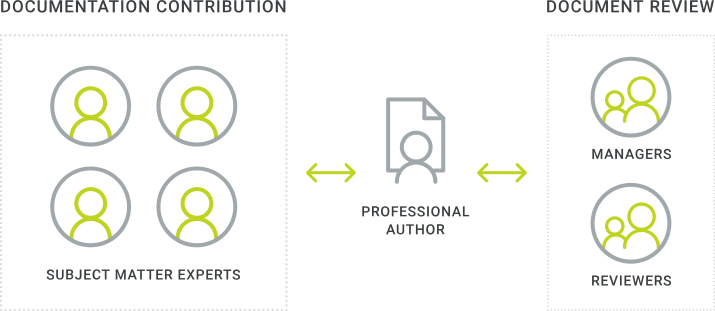
MadCap Contributor makes it easy for anyone in your organization to review and contribute content in a secure desktop-based workflow. Managers and subject matter experts (SMEs) can review and edit topics, make annotations, and update MadCap Flare content with a simple, easy-to-use interface — no advanced knowledge required.
Send and receive review packages directly within the app, instead of using non-integrated products such as Word or PDF
- Allow SMEs to easily review, edit or create content for MadCap Flare publishing
- Send reviewed, revised, or annotated documentation with track changes back and forth with reviewers and SMEs via email, SharePoint or using External Resources
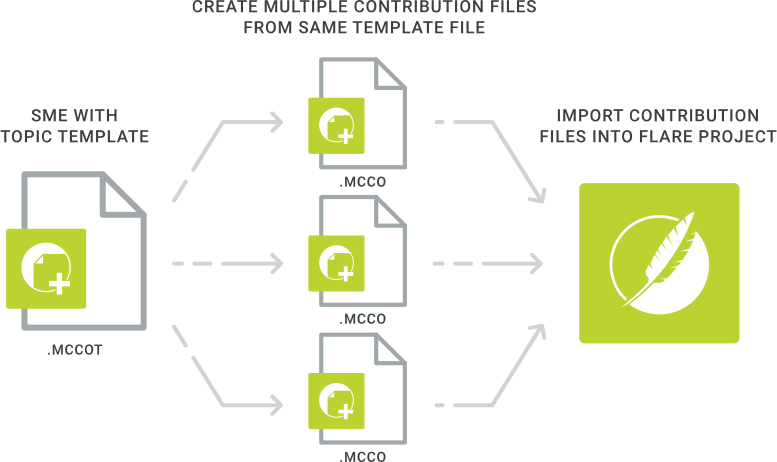
- Contribution templates set by the author ensure formatting and styles are maintained
- Advanced track changes help with the management of the editing and review process:
- Automatically enabled when reviewers open topics in MadCap Contributor
- All changes are tracked, along with the user who performed the change
MadCap Contributor contribution/review workflow:
- Open the contribution template or review package sent from the author or specialist
- Edit the content or information in Contributor
- Accept or reject changes if topic already includes tracked changes, or insert annotations
- Return the contribution template or review package to the author
Contribution Templates Provide Consistency
Contribution Templates make it easy for anyone to edit and review content
- Applied Styles means your business’s SMEs and managers don't need to worry about formatting, just the content
- Avoid the hassle of converting content from Word and other formats to ensure consistency throughout your technical documentation and SME contribution and review process
- From within MadCap Flare, content can be locked to prevent any unintended edits to content
Templates can include but are not limited to:
- Page styles
- Table styles
- Sample text
- Image placeholders
- Table placeholders
- Annotations with template instructions
Simplified Visual Editor for Easy Editing
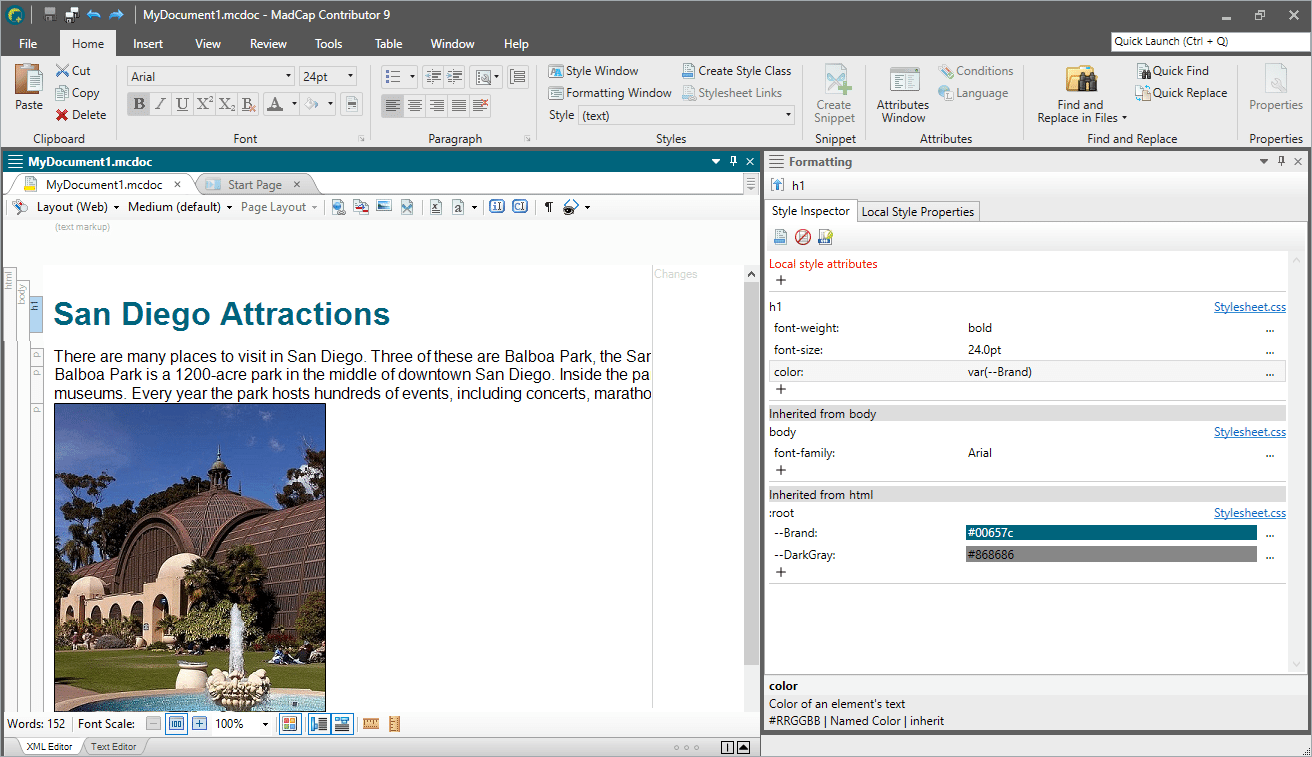
A simplified visual editor makes it easy for users to add, review and edit content
- Add content, images, equations and other media to contributor topics
- Contribution and review packages can be sent in “TOC View” allowing editors to see review candidates in the context of the entire document or project
-
Advanced editor options include:
- Real-time split-view editor showing both XML code and WYSIWYG
- Native right-to-left language support
- Advance print features and more
Free Review with Annotations
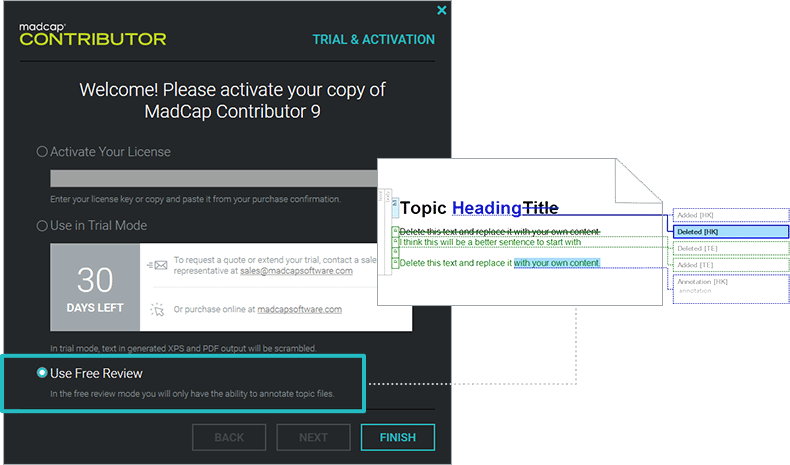
A free review mode allows anyone to make annotations to content.
Note: The trial version of MadCap Contributor includes a non-expiring, free review with annotation mode, allowing for perpetual review between SME, managers and Flare authors.
Free review workflow with MadCap Contributor:
- Open review package file provided by author
- Insert annotations
- Return the review package to the author (via email, SharePoint® or external resources folder)
Multiple Licensing Options to Fit Any Organization
Multiple licensing options mean greater flexibility to fit the unique needs of your organization. With subscription licensing, you can significantly reduce the contribution and review workflows of authoring for as little as $16 per month per user.

A Free Review Workflow for MadCap Lingo
Built-in integration with MadCap Lingo allows you to send translated content and translation bundles to anyone inside or outside your organization for review using MadCap Contributor.
Translation review workflow is easy and free:
- Export and send a Review Package from a MadCap Lingo project
- Third party can review and edit file using MadCap Contributor
- Once completed, third party exports revised Review Package file
- Author imports and accepts or rejects reviewer changes using Track Changes